Installation Tutorials
Step-by-step guides to install the extension on different browsers
Download the Extension
Download the extension by clicking the "Download" button. Save the .zip file to your computer.
Unzip download
Unzip the zip file on your computer. Remember where the unzipped files are located.
Open Extensions Page
In your browser, navigate to the extensions page. For Chrome: chrome://extensions.
Enable Developer Mode
Toggle the "Developer mode" switch in the top right corner of the extensions page.
Install the Extension
Choose Load unpacked and select the unzipped folder.
Alternatively, drag and drop the downloaded folder onto the extensions page. Confirm the installation when prompted.
Finished
When you open a private video, the image should load
Install Kiwi
If you don't have already, install kiwi browser on android from the Play store.
Download the extension
Download the extension by clicking the "Download" button. Save the .zip file to your mobile.
Open extensions in Kiwi browser

Install extension
Enable developer mode and choose from .zip/.crx, select the .zip file downloaded in step 2
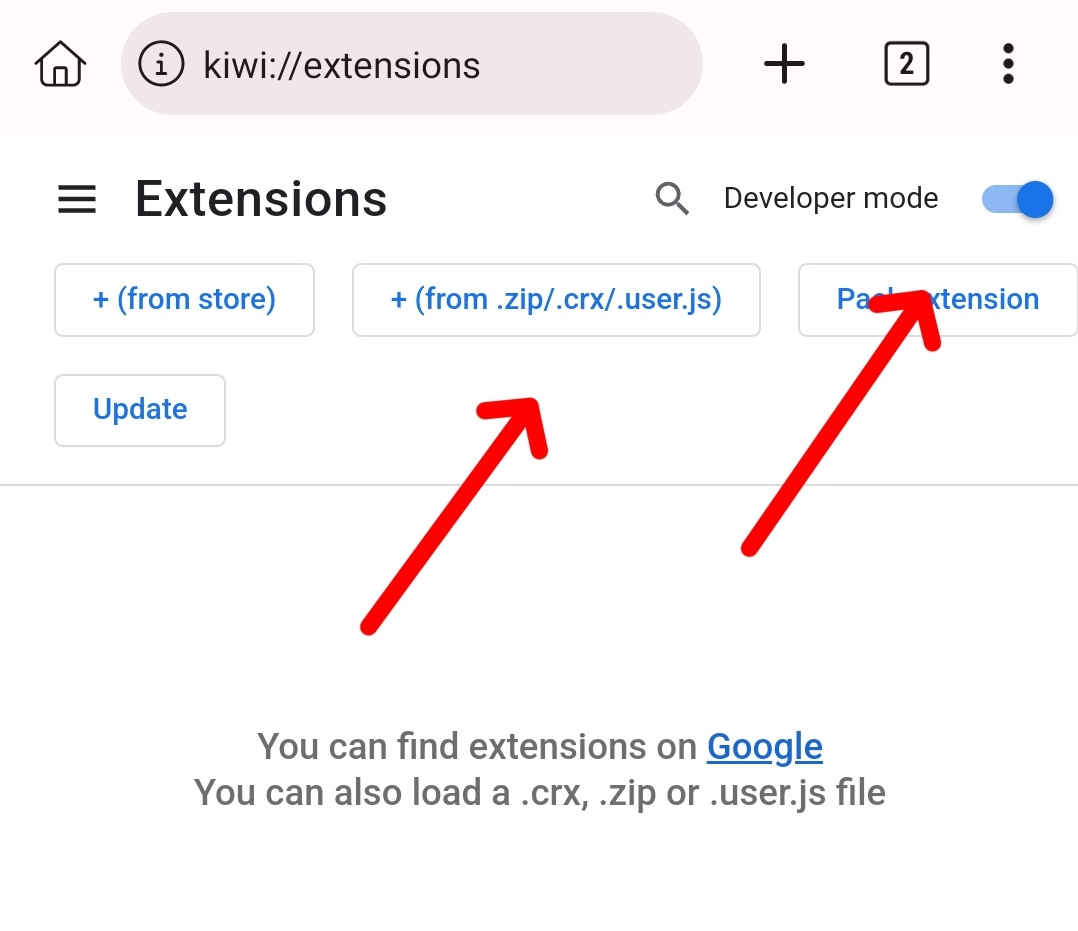
Load extension
Extension should load successfully.
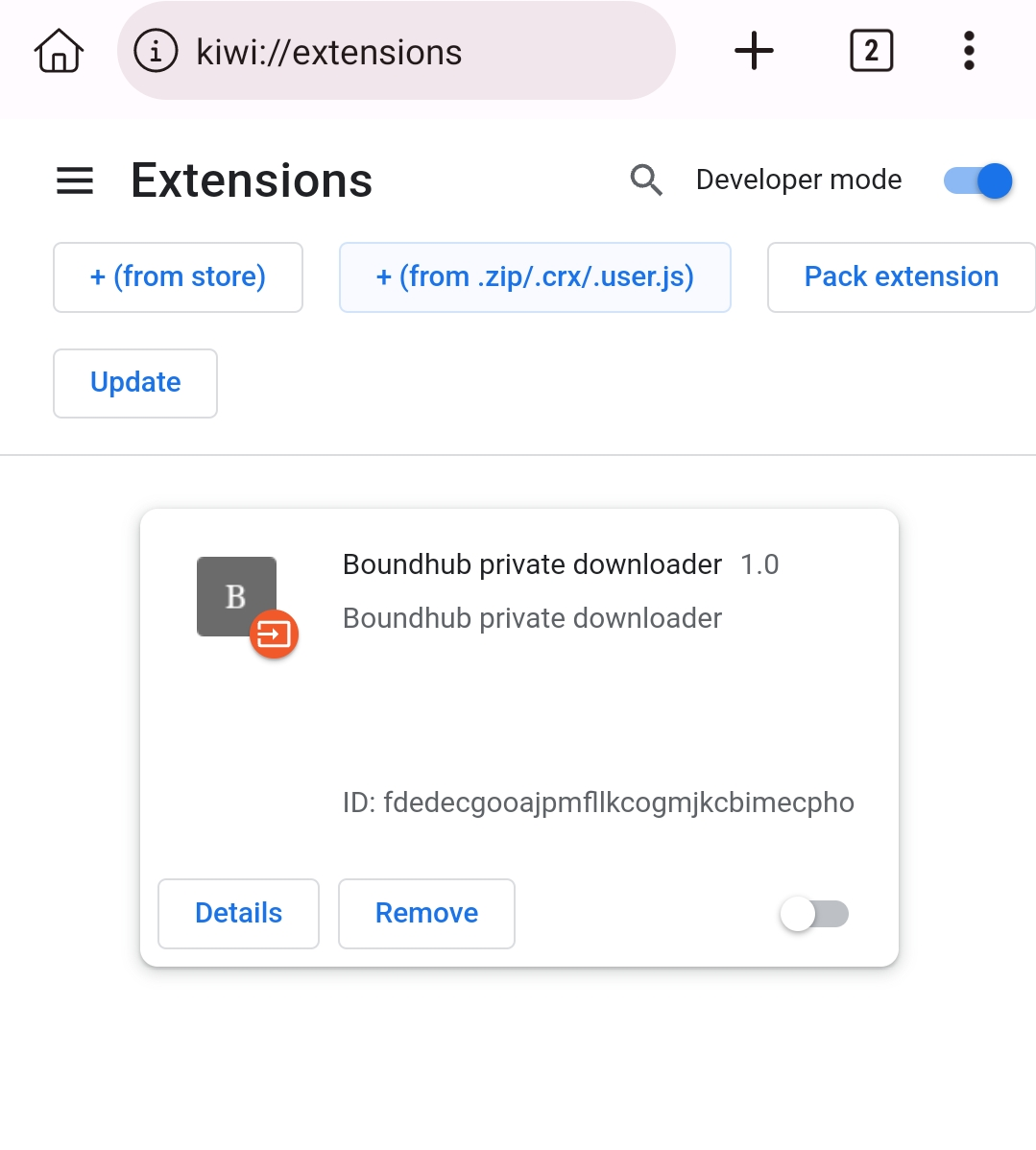
Enable extension
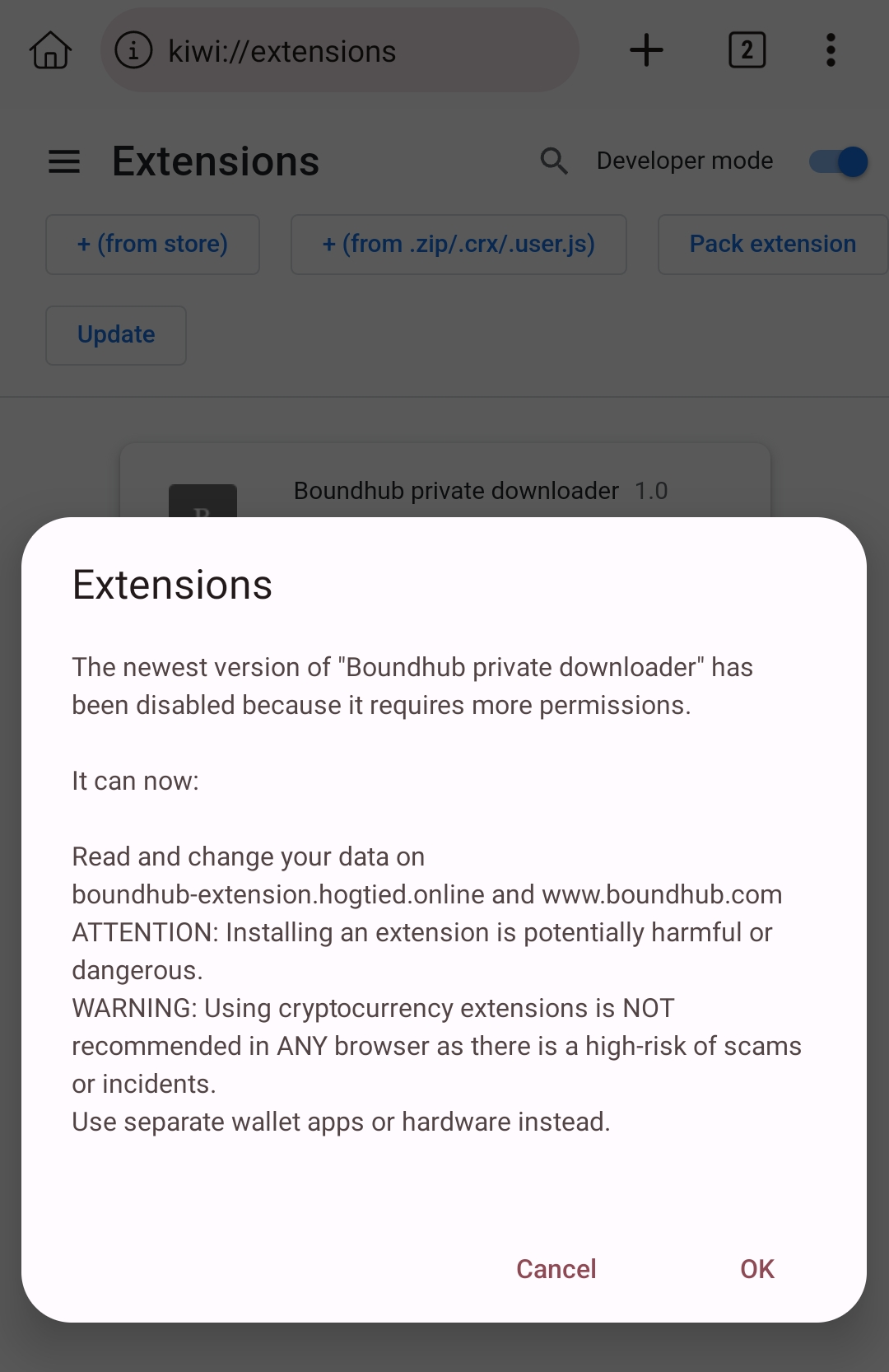
Enable extension, you get a warning that it can read boundhub.com, accept this.